

Is anyone else tired of saving democracy in every election cycle? 🙋Us too! Let’s create a blue tsunami so big this year that we can’t be ignored by wannabe dictators 🌊
We at Scale to Win are here to power your record-breaking GOTV and fundraising programs this year. Check out the newest organizing and fundraising updates to help you this election season:
Fundraising updates
Data to Win: Maximize your fundraising ROI and organizing engagement with brand new pooled engagement data
List Shuffle: Get more reliable results from early A/B tests by shuffling the order of your contact lists
Organizing updates
Texter Information Panel: Give your texters easy-to-access information while handling replies in STWT
Dialer security upgrades: Protect your campaigns from bad actors with Caller Verification and Blocked Callers
General updates
- Enhancements to Audiences: It’s even easier to build Audiences from the data and tools you already use, including Google Cloud Storage, ActionKit, ActBlue, and NGP VAN.
- Campaign-based carrier strategies: Don’t delay sends or waste budgets when phone carriers are experiencing issues
- Other updates: Campaign contact limits increased to 1 million, plus updates to tag imports and exports
Fundraising updates
Data to Win
What is it?
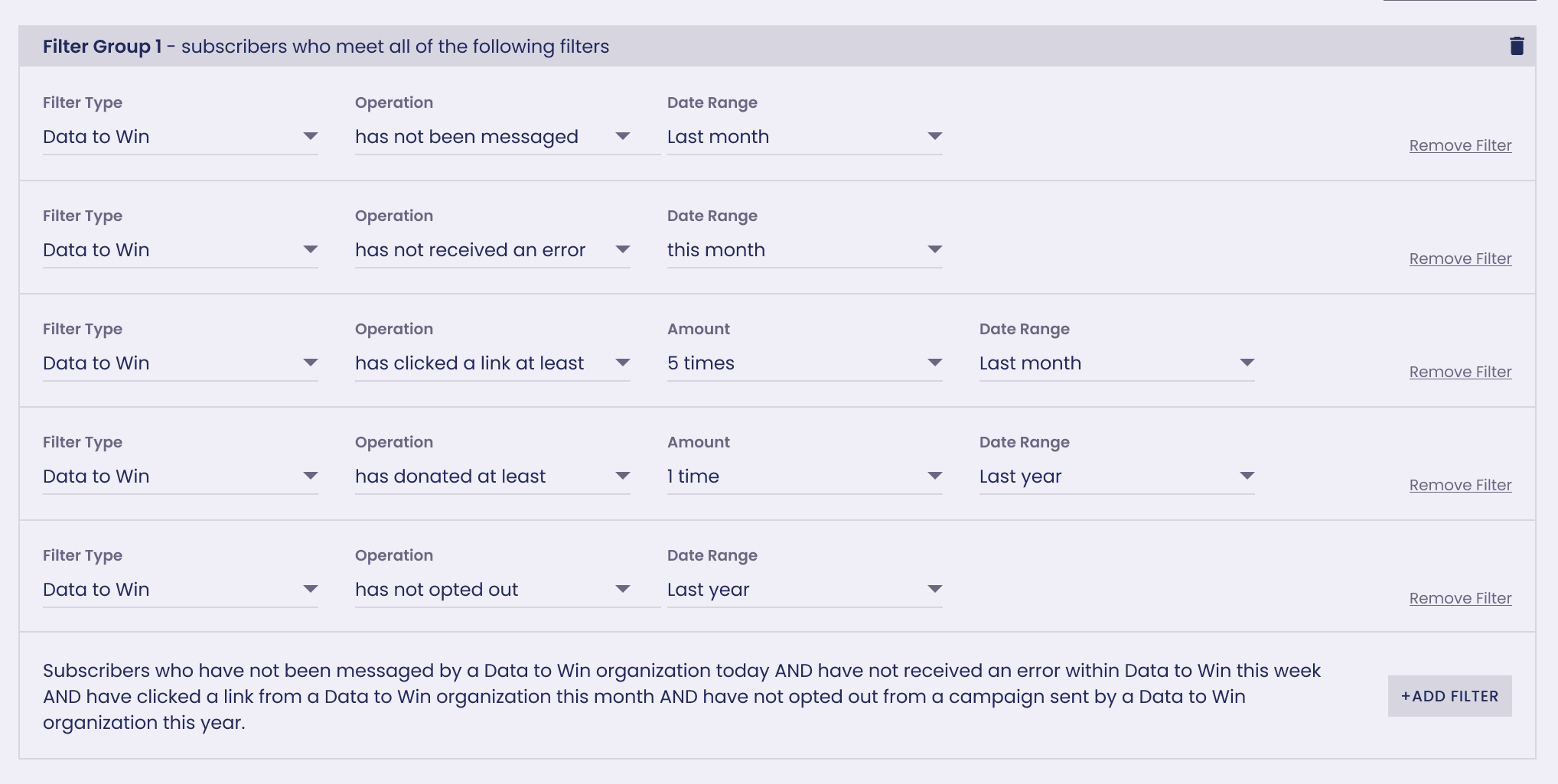
Enhanced Filtering with Data to Win is a new resource for Scale to Win customers, featuring pooled engagement data from Democratic campaigns and progressive organizations.
Gain insights into your existing texting lists with anonymized engagement data from the vetted Scale to Win network, without exposing any personally identifiable information (PII) to other participants.
Learn more about Data to Win in our knowledge base. Note: This feature is only available to clients who are on exclusivity or commit contracts. If you are a current client on an exclusivity or commit contract and want to join Data to Win, submit a ticket with the support team. If you are not a current client or on a current contract, please book a demo with our partnerships team to learn about next steps.
How will Data to Win help me?
- Reach relevant donors and maximize ROI in fundraising campaigns: Add valuable insights to your existing contact lists and send fewer, higher-impact texts to save budget and hit your ROI targets sooner.
- Move quickly and respond to big moments: Enhanced Filters are built right into Scale to Win Text, so you can leverage filters and launch campaigns instantly. Don’t wait for a data query to run overnight to build your campaigns.
- Work smarter, not harder with existing workflows: Strengthen your existing campaign workflows by running targeted, smarter campaigns without waste.
List shuffle
What is it?
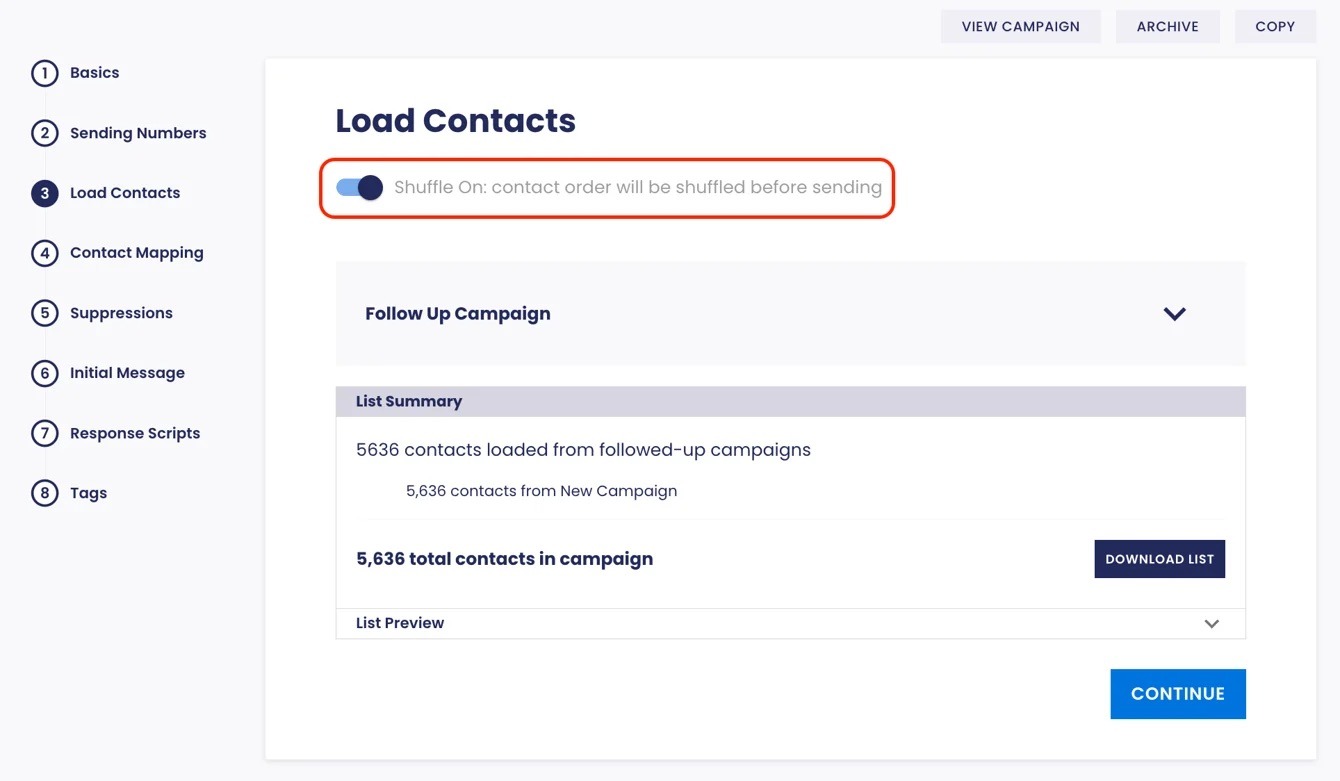
Get more reliable results from early campaign tests. Keep your lists fresh by shuffling the order in which contacts are messaged in a texting campaign.
If you don’t use List Shuffle, the contacts in your campaign are messaged in the order of upload (so the first contacts in a CSV will always receive the message first). Check out the help article on List Shuffle and learn how to enable it in your account.
Why should I try List Shuffle?
- Upgrade your A/B testing: Fundraisers love this feature because it’s ideal for A/B testing messages on a partial send. If you’re A/B testing a message with only part of your list, shuffling helps ensure your results aren’t skewed by repeatedly contacting the same contacts first.
Maximize your fundraising campaigns with List Shuffle and sign up for a STW account today>>
Organizing updates
Texter Information Panel
What is it?
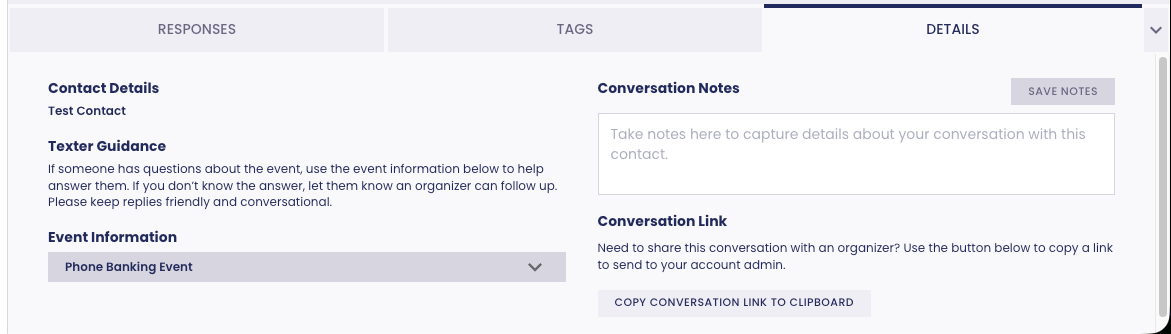
Share resources quickly and easily with your volunteers via the Texter Information Panel. Texters can handle replies while you send key instructions to them in two ways:
- Texter Guidance: Custom instructions or background on the campaign; for example, your campaign’s top issues or key voting information.
- Event Information: Include details from any Event connected to the campaign, including the event name, type, date and time, description, RSVP link, and other event details.
Find out how to set up your own Texter Information Panel in our help article.
How can I use the Texter Information Panel in my work?
- Guide new volunteers: Campaigns often need to train volunteers quickly with limited resources. The panel makes it easy to give volunteers quick tips and reminders to keep in mind while texting.
- Promote events with ease: Texters can quickly find relevant information for events in the Texter Information Panel. During the busy moments leading up to high-profile events, your texters can grab what they need without keeping track of a separate document.
Dialer Security Upgrades
What is it?
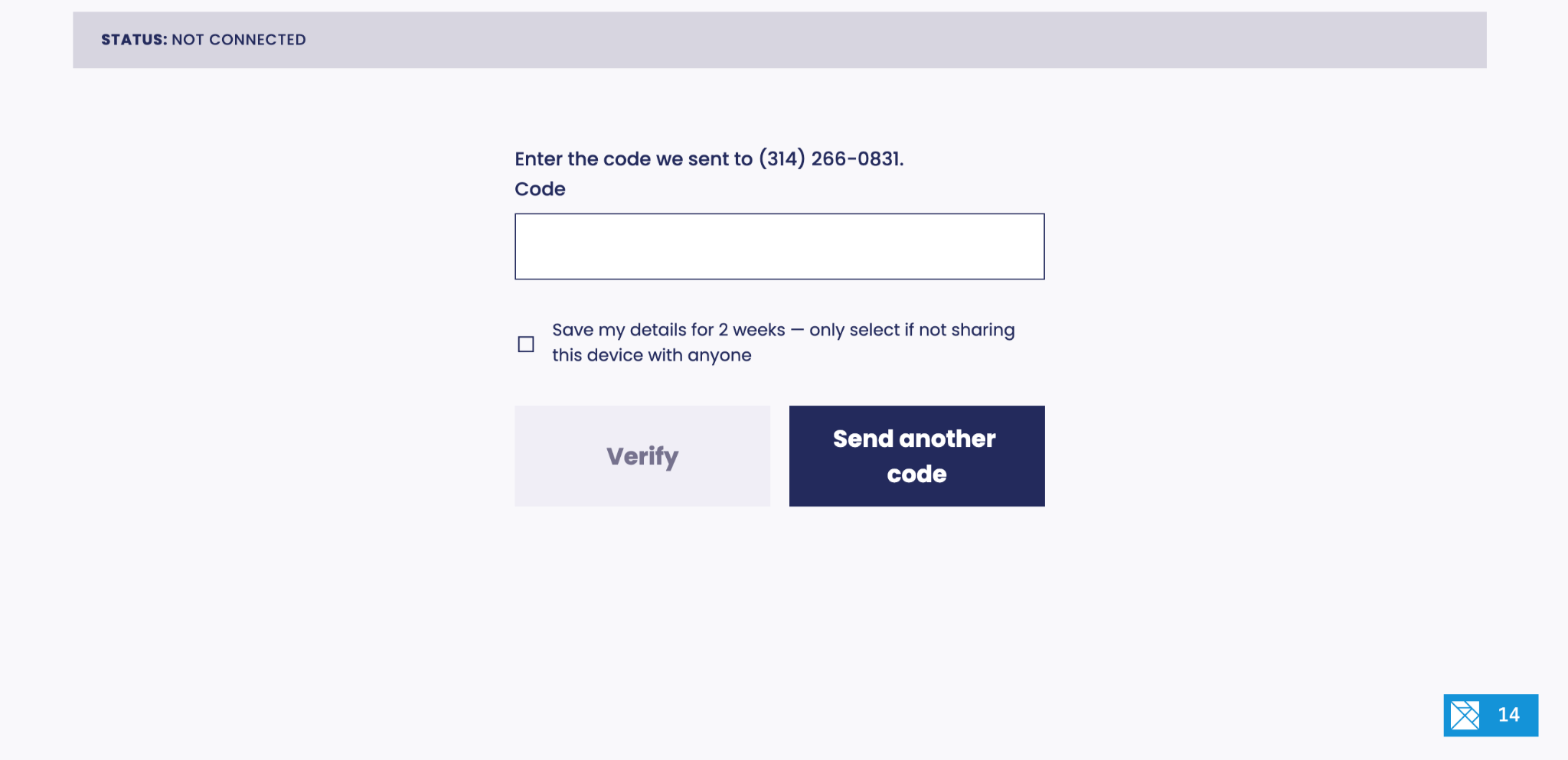
Bolster the security of your Dialer campaigns and stop trolls quickly with the new Caller Verification and Blocked Callers features.
If you turn on the Caller Verification setting, all callers are required to send a verification code to their mobile phone and enter it in the Dialer. Once Caller Verification is set up, you can block, review, or unblock any verified caller via the new Blocked Callers page.
Learn more about these security updates in the help article.
How do these security upgrades protect me?
- Act quickly to keep your Dialer campaigns secure and active: Bad actors can target Democratic and progressive campaigns. Stop trolls at the source and act quickly if your call campaign link is shared in the wrong places online, without rebuilding your campaign from scratch.
General Updates
Enhancements to Audiences
What is it?
We’ve made it easier to build and manage Audiences from the data and tools you already use! Skip the CSVs and import contacts directly into your Audiences from Google Cloud Storage, ActionKit, ActBlue, and NGP VAN, saving your team time and manual work.
Audiences now include built-in phone number validation to remove invalid numbers and identify landlines. This helps you build cleaner, more actionable Audiences before you even build a campaign.
We’ve also expanded your targeting options. You can now filter contacts using ActBlue express lane donation information alongside existing filters, giving you more ways to identify and reach likely donors.
How will the updates to Audiences help me be more efficient?
- Speed up your campaign prep: Reduce the time your team spends cutting lists in your database and uploading them to Scale to Win Text. With the new direct imports into Audiences, you can automatically transfer today’s target list to STWT without exports and CSVs, saving time and getting your campaigns running quicker.
- Get a clearer picture of your contacts before you build: Before you set up a single campaign, the phone number lookups tool in Audiences gives you a useful summary of your universe. STWT will automatically remove invalid phone numbers, label numbers as mobile or landline, and give you a breakdown by carrier.
Campaign-based carrier strategies
What is it?
We’ve added new strategies in STWT to help you manage sending based on phone carriers. You can now suppress contacts in a Scale to Win Text campaign based on the contact’s phone carrier, including T-Mobile, AT&T, Verizon, and more.
How will Campaign-based Carrier Strategies help me save time and budget?
- Don’t delay your messages because of carrier issues: When every minute counts during GOTV and Election Day, you could hit carrier-based sending caps or a major carrier could experience an outage. Instead of delaying all of your texting campaigns, temporarily suppress contacts on affected carriers until the issues resolve.
- Send targeted campaigns to reach previously suppressed contacts: When conditions improve, you can create a new campaign and suppress the contacts that you already reached, based on carrier. With this approach, you are only reaching out to contacts that haven’t heard from you!
- Protect your sending budget: Reduce wasted sends by suppressing carriers experiencing outages or ease sending on a certain carrier when you approach a daily limit.
Other updates
- Scale your largest texting campaigns with ease and save time on campaign setup: We’ve increased the contact limit in campaigns to 1 million contacts!
- Bulk analysis is easier with updates to tag imports and exports: Campaign results exports now separate tags into individual columns, and the response script importer template supports single-select tags.
Any questions about the new ways to use STWT and the Dialer? Do you have other feature requests you’d like to see in Scale to Win? Let our support team know!
